
Best team-building software: Tools to engage your workforce


As of 2026, 79% of workers in the US reported their employers were encouraging them to return to office for better productivity and collaboration. But despite employers' best efforts and the overall decline in available remote work, hybrid opportunities are on the rise. While these flexible arrangements offer autonomy, they also introduce a connection gap between colleagues.
Team collaboration tools provide an excellent starting place to develop better communication and project management for dispersed teams. To build strong teams and culture, modern companies depend on team-building tools.
In this guide, we’ll highlight the best team-building software that prioritize the employee experience and team alignment.
What’s team-building software?
Traditional project management and collaboration tools tend to focus solely on managing tasks. But team-building software is designed to strengthen work relationships, build trust, and maintain team alignment.
These systems complement existing remote collaboration tools and other management apps by focusing on the human element. Their core value lies in fostering psychological safety, enabling honest feedback, and creating a sense of shared ownership across departments and teams.
Team members that feel connected, heard, and supported are more likely to perform consistently. Organizations with engaged teams see a 21% higher profitability and 17% higher productivity, according to Gallup.
Key features to look for in the best collaboration software
In order to build a healthy and resilient team, you’ll need collaboration tools that do more than just store files. Here are some of the top features that make a tool a good fit for your team:
- Pulse surveys: Choose tools that run quick check-in sessions to gather honest feedback from employees. These insights allow leaders to spot trends and address issues early.
- Peer-to-peer recognition systems: Shared spaces dedicated to celebrating wins reinforces positive behaviors. This creates opportunities for team members to bond and build their relationships with one another through moments of celebration and recognition.
- Structured one-on-one support: Use templates and surveys that help managers and employees have meaningful conversations about growth, not just task management status updates. Employees who feel like their employers care about their personal growth are more likely to go the extra mile.
- Sentiment analysis and reporting: Capture employee sentiment and manager effectiveness, giving leaders the data needed for strengthening team relationships and addressing issues early. Managers will find this information most useful during times of change, such as new leadership shifts or layoffs.
- Simple integration: Social features, such as good vibes recognition cards, can live inside tools your teams already use to stay in sync. Integration with existing apps like Slack, Trello or Microsoft Teams makes adoption easier and more cost-effective.
- Technical integration and accessibility: The ideal software integrates easily with the rest of your tech stack and devices. Compatibility means your team can keep using the tools they’re used to.
Top-rated team-building software options
We’ve broken down the best tools by category, giving you an idea of which may suit your organization best.
The all-rounder: Workleap
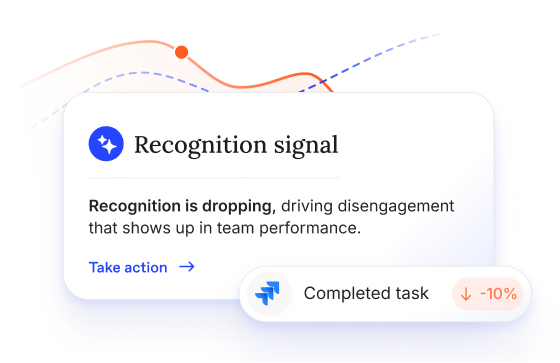
Workleap is a leading human-centric platform designed to build stronger, more aligned teams. It gives managers a framework for meaningful and ongoing check-ins to determine employee needs, and it connects feedback directly to performance and growth.
By creating a space for more consistent conversations, Workleap helps managers and employees build stronger relationships with one another. Managers gain strategic visibility, HR gets clear guidance, and team members see real change instead of another round of surveys.
Best for: Organizations wanting to balance productivity with clear engagement and strong culture
The project specialists (enterprise focus)
Bringing products and services to market requires strong project management. Teams need tools that can handle complex workflows and large-scale delivery beyond just crafting Gantt charts.
The following tools specialize in structured execution and managing projects at the enterprise level:
- Wrike helps large organizations manage complex, multi-layered workflows by providing advanced planning, reporting, and time tracking across distributed teams.
- Asana is a project management app that supports flexible task tracing across cross-functional teams, making it easier to maintain shared accountability.
- Smartsheet combines spreadsheet-driven planning with automation and visibility, allowing teams to manage structured projects and time tracking in one place.
The generalists (productivity and task focus)
Some teams need flexible, everyday productivity support. Others may need a web-based collaboration tool that focuses on task management, visibility, and collaboration. Here are some of the top options on the market:
- Todoist simplifies building, managing, and completing to-do lists. Features include a speech-to-text AI assistant and clear prioritization filters.
- Miro is a collaborative visual workspace that helps teams go from brainstorming to action in remote and hybrid environments.
- Trello uses a Kanban-style layout for task management. Teams can capture, organize, and tackle their to-do lists from anywhere in the world.
- ClickUp brings project management, calendar management, chats, and automations into one centralized platform.
The remote-first contenders (communication infrastructure)
Whether your team is distributed or split across in-office locations around the world, strong communication is vital for the daily functions of your organization. These apps help teams stay connected from anywhere:
- Slack provides real-time text, voice, and video chat options to speed up communication. Group messages into channels, create canvases to share async updates, and organize conversations into threads so discussions don’t get lost.
- Zoom delivers reliable, high-quality video calls that support meetings, workshops, and instant collaboration.
- Microsoft Teams brings messages and video calls to the Microsoft 365 ecosystem. Chat, meet, and collaborate on files in one place.
- Loom allows users to record their screen and webcam footage, then share async video messages. Embed and share clips across platforms so everyone stays on the same page.
The visual and niche managers (specialized collaboration)
Design and other creative teams often need a more visual space to collaborate. Other niche teams may find visual features helpful for handling complex projects and product design options. These management tools shine in design spaces:
- Figma is a collaborative product design tool. Teams work together on app, website, and project layouts without version control issues.
- Monday.com offers a visual dashboard and customizable workflows for teams to easily track tasks, ownership, and progress. Integrations and automation features import and export data between other tools in your tech stack.
- Notion is a flexible knowledge hub for documentation, planning, and collaboration. Customizable views let users track information like task assignees, due dates, and file locations.
- Gather is a virtual office environment that simulates working in person. Employees create custom avatars and interact with each other in the digital space, starting chats in one click.
The community-minded bond builders (team development)
All work and no play? Not with these apps! For employees to get to know one another better and to build stronger relationships in the workplace, choose apps that use fun activities and games to connect, laugh, and build camaraderie:
- Donut connects to an employee's Slack account and features AI-powered “Watercooler” conversation prompts and cross-department matching. This add-on also tracks work anniversaries and birthdays so you never miss a celebration.
- CrowdPlay supports team collaboration through activities like trivia, bingo, mini games, and scavenger hunts. Use it during meetings or during designated team building time.
- Luna Park brings the fun with games, icebreakers, and even virtual escape rooms! Strengthen your connections with peers through laughter and collaboration.
How to choose the right collaboration tools
With so many collaboration platforms available, choosing the right one can feel overwhelming. Knowing what to look for can help you narrow down your options without slipping into analysis paralysis.
Here’s how to prioritize management tools that improve the way your team works:
- Assess culture fit: The right platform should either complement the culture you want to maintain or facilitate the changes your organization wants to see. Focus on platforms that let you build trust instead of just tracking task completion.
- Evaluate participation costs: How likely is it that your team will use the tools once implemented? Without large-scale adoption, you could find yourself paying high prices for a solution no one actually uses.
- Verify and communicate data privacy: Reassure employees that their information is anonymous and private. Team members can only express their thoughts and feelings honestly if they feel safe doing so.
- Evaluate AI-assisted insights: Companies are implementing AI into many of their services, but not all AI integrations are useful or safe. Ensure you’re actually getting intelligent, secure analysis that leads to meaningful action.
Maximizing impact and driving alignment with Workleap
Instead of treating engagement as a side quest, Workleap prioritizes it. With science-backed methodologies, our platform focuses on building communication and collaboration in teams directly into your workflow.
You make workforce decisions everyday, and we leverage AI to help you make great ones. Are you ready to switch from tools for management to a platform that supports people-first leadership? Request your demo today.







.png)



.png)